How to cancel Audible on iPhone
 Burn Team
The people who make Burn
Short answer
In Safari, sign in at Audible, open the main menu, select your name, then Membership details, Cancel membership and Confirm cancellation. If Apple bills you, Audible can't cancel it: go to iPhone Settings, your name, Subscriptions, Audible instead. Deleting the app doesn't cancel. Use your credits first, because unused ones are lost when an Audible-billed membership ends. Titles you bought stay yours.
Download Burn on the App Store
In this post
Who bills you for Audible?
Open Settings, tap your name, tap Subscriptions. If Audible is listed, Apple bills you and you have to cancel there. Audible says memberships billed through Apple or Google can't be cancelled on the Audible site. If it isn't listed, use the Audible site. Audible's Membership details page also shows how you're billed.
Cancel Audible on the mobile site
- In Safari, go to the Audible site and sign in.
- Select the main menu, then your name.
- Select Membership details.
- Select Cancel membership.
- Select Confirm cancellation.
Audible emails you a confirmation, and the status on Membership details changes. On a computer: your name in the top navigation, Membership details, the Cancel membership link, Confirm cancellation.
Cancel Audible when Apple bills you
- Open Settings and tap your name.
- Tap Subscriptions, then Audible.
- Tap Cancel Subscription. Scroll if you don't see it.
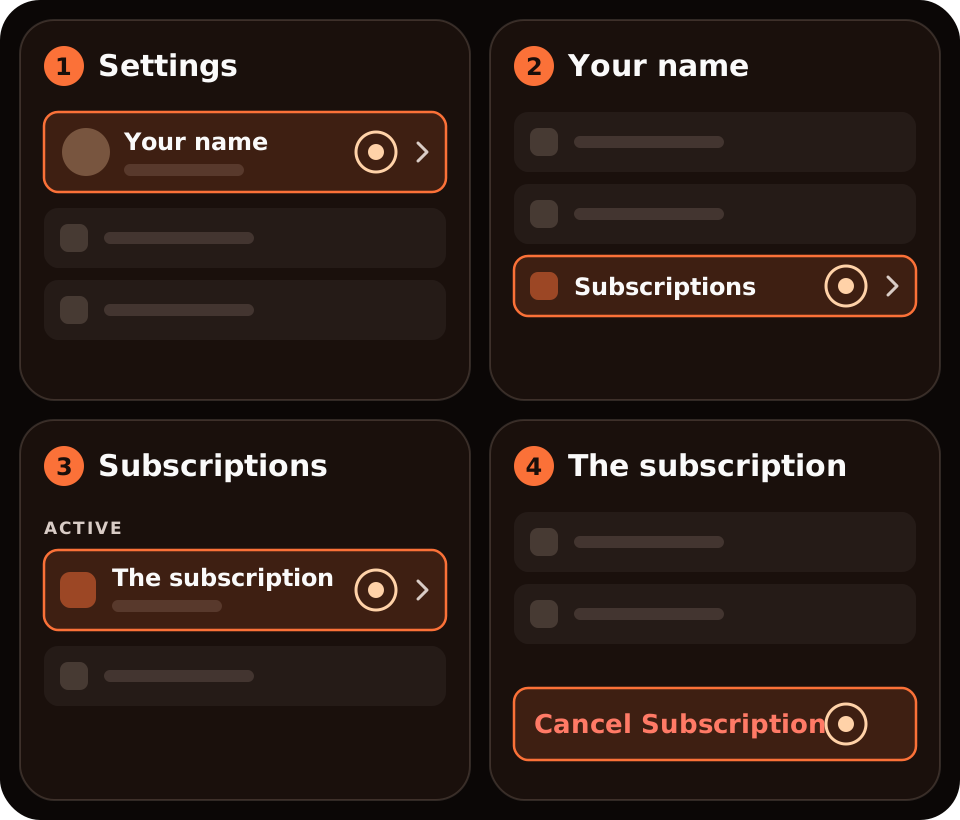
No Cancel button, or red text with an expiry date? Apple says it's already cancelled.
What happens to my credits and books?
| After you cancel | What Audible says |
|---|---|
| Titles bought with a credit or card | Yours to keep, in your Library, and you can download them again |
| Unused credits, billed by Audible | Lost at the end of your final billing cycle, so spend them first |
| Unused credits from an App Store or Google Play membership | Don't expire and stay in your account |
| Included titles you downloaded | Locked. You can buy them or rejoin to get them back. |
| Member discount and other benefits | End with your final billing cycle. You can still buy titles at full price. |
Can I pause Audible instead?
If you only want a break, Audible lets you pause eligible monthly plans for up to 90 days every 12 months. Annual plans aren't eligible. Your credits stay active until their original expiry dates and you keep your member discount, but no new credits arrive during the pause. See Audible's Pause your membership page.
Where Burn fits
We make Burn, so weigh this. Burn can't cancel Audible; it doesn't connect to Audible, Apple or your bank. It reminds you before the renewal, so you have time to spend a credit or cancel. Free for up to 5 subscriptions.
Questions people ask
How do I cancel Audible on my iPhone?
If Audible bills you, use Safari: main menu, your name, Membership details, Cancel membership, Confirm cancellation. If Apple bills you, open Settings, tap your name, Subscriptions, Audible, Cancel Subscription.
Does deleting the Audible app cancel my membership?
No. Audible says deleting the app won't cancel a membership.
Do I keep my audiobooks if I cancel Audible?
Yes, for titles you bought with a credit or a card. Included titles you downloaded get locked.
Do I lose my Audible credits when I cancel?
Unused credits are lost when an Audible-billed membership ends, so use them first. Credits from an App Store or Google Play membership don't expire and stay in your account.
Why can't I see the cancel option on Audible?
Audible says you may be signed in to the wrong account, or billed through Apple or Google. Check your email address, then look in your App Store subscriptions.
Sources: Audible Help Center (US), Cancel membership and Before you cancel your Audible membership; Apple, Cancel a subscription from Apple. Checked 4 November 2026. Audible's UK help page wouldn't open when we checked, so UK menu names may differ. If the screens differ, Audible's help article wins.