How to cancel Super Duolingo on iPhone
 Burn Team
The people who make Burn
Short answer
In the Duolingo app, tap the Super icon at the top of the home screen, tap the gear icon, tap Manage subscription, select Cancel subscription and confirm through the App Store. If you started on the Duolingo website, cancel there instead: profile picture, Settings, Super Duolingo, Cancel subscription. Deleting the app or your account doesn't cancel. Your streak and progress aren't affected.
Download Burn on the App Store
In this post
Where did you start the subscription?
Duolingo says you cancel based on how you first subscribed. Open Settings, tap your name, tap Subscriptions. If Duolingo is listed, Apple bills you. If it isn't, check your receipt: you probably subscribed on the website, on another account or on Android.
| You subscribed | Where to cancel |
|---|---|
| In the Duolingo app on iPhone | In the app, or in iPhone Settings |
| On the Duolingo website | On the website, under Settings, Super Duolingo |
| On an Android phone | In the Android app. For a device-level subscription, Duolingo asks you to send a support request. |
Cancel Super Duolingo in the iPhone app
- Open the Duolingo app.
- Tap the Super icon at the top of the home screen.
- Tap Settings (the gear icon).
- Tap Manage subscription.
- Select Cancel subscription and carry on.
- Confirm the cancellation in the App Store screen.
Cancel Duolingo in iPhone Settings
- Open Settings and tap your name.
- Tap Subscriptions, then Duolingo.
- Tap Cancel Subscription. Scroll if you don't see it.
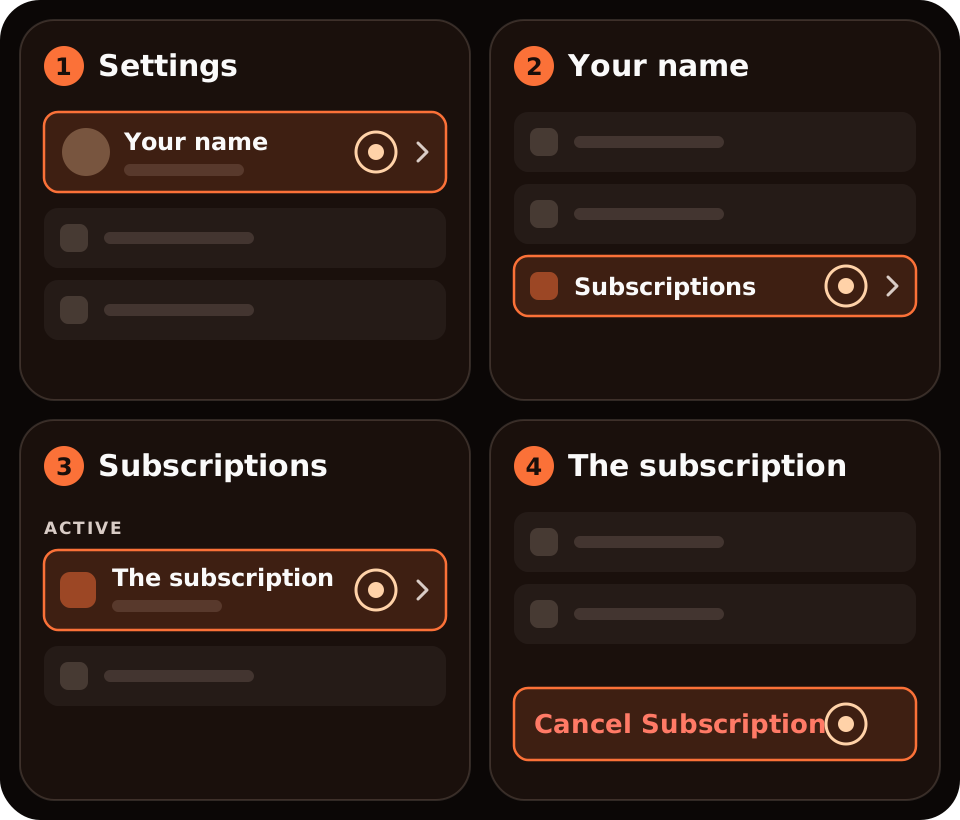
No Cancel button, or red text with an expiry date? Apple says it's already cancelled.
Cancel Super Duolingo on the website
- Sign in to your Duolingo account in a browser.
- Click your profile picture at the top of the home screen and choose Settings.
- Select Super Duolingo.
- Select Cancel subscription and confirm.
How do I cancel a Super Duolingo free trial?
Use the same steps. A trial started on iPhone is an Apple subscription, and Apple says to cancel at least 24 hours before the trial ends if you don't want it to renew. Check the end date on the Duolingo line in Settings, your name, Subscriptions.
What happens after you cancel?
- Your streak and learning progress aren't affected.
- You keep Super Duolingo features until the end of the subscription period.
- You stop being billed automatically, and you can reactivate at any time.
- Deleting the app or your account doesn't cancel the subscription.
Can you get a refund from Duolingo?
Don't count on it. Duolingo says charges for in-app purchases are generally nonrefundable, cancelling doesn't refund past payments, and fees aren't prorated. For an iPhone subscription, Apple handles refunds, not Duolingo: see how to cancel and request a refund on iPhone. For a web subscription, Duolingo says to use the Super icon, scroll down the page and contact support by email, saying that you need a refund for your web subscription.
Where Burn fits
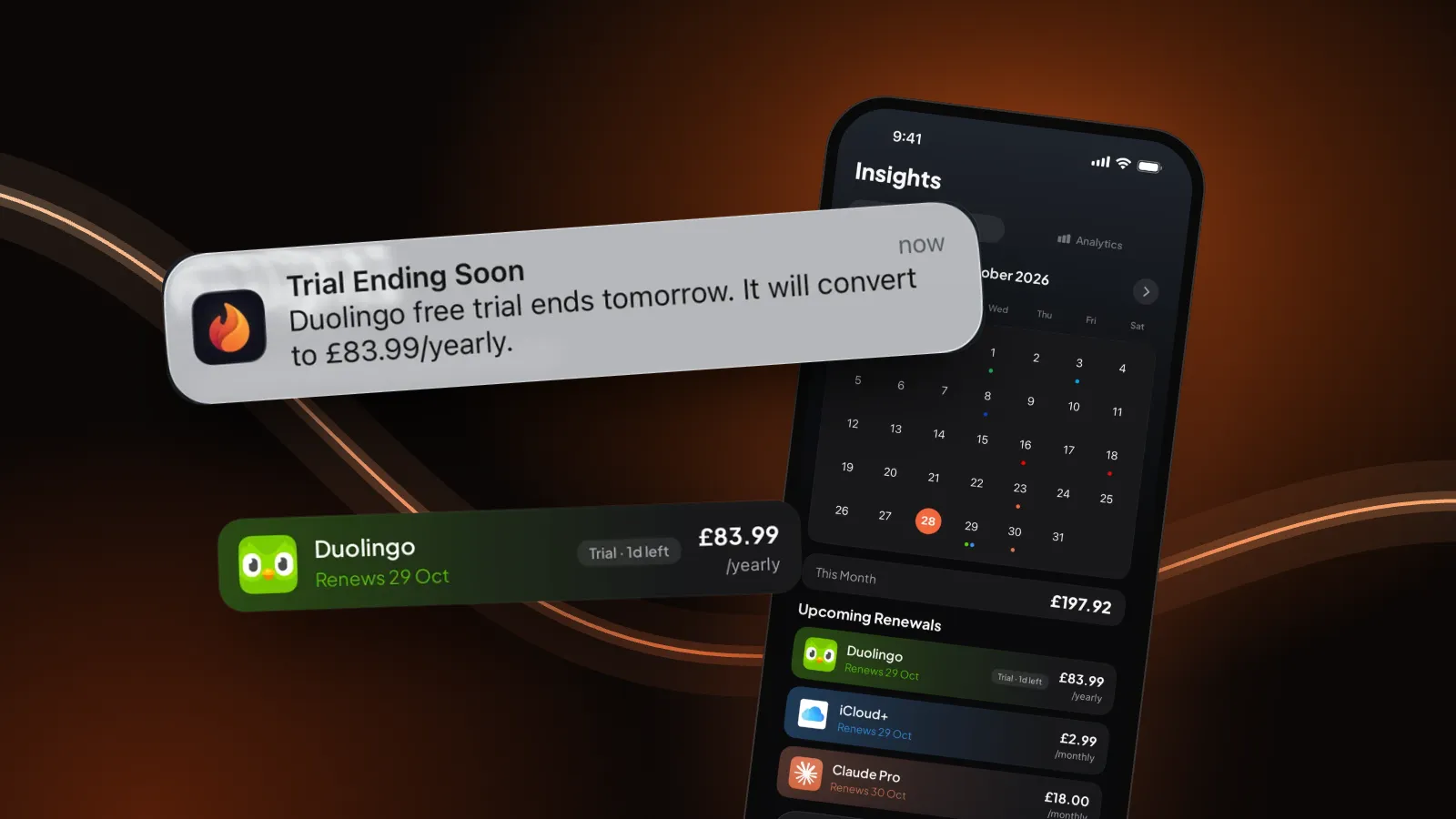
We make Burn, so weigh this. Burn can't cancel Duolingo; it doesn't connect to Duolingo, Apple or your bank. It reminds you the day before a free trial ends, which is the moment that matters here. Free for up to 5 subscriptions.
Questions people ask
How do I cancel Super Duolingo on my iPhone?
In the app: Super icon, Settings (gear), Manage subscription, Cancel subscription, then confirm in the App Store screen. Or open iPhone Settings, tap your name, Subscriptions, Duolingo, Cancel Subscription.
Does deleting Duolingo cancel my subscription?
No. Duolingo says deleting the app or your account doesn't cancel the subscription.
Will I lose my streak if I cancel Super Duolingo?
No. Duolingo says your streak and learning progress aren't affected.
When should I cancel a Super Duolingo free trial?
If you started it on iPhone, at least 24 hours before the trial ends, which is Apple's advice for trials.
Can I get a refund for Super Duolingo?
Generally not, according to Duolingo. Apple handles refunds for iPhone subscriptions. For web subscriptions, contact Duolingo support.
Sources: Duolingo Help Center, How do I cancel my Super Duolingo subscription? and How do I request a refund?; Apple, Cancel a subscription from Apple. Checked 4 November 2026. If the screens differ, Duolingo's help article wins.